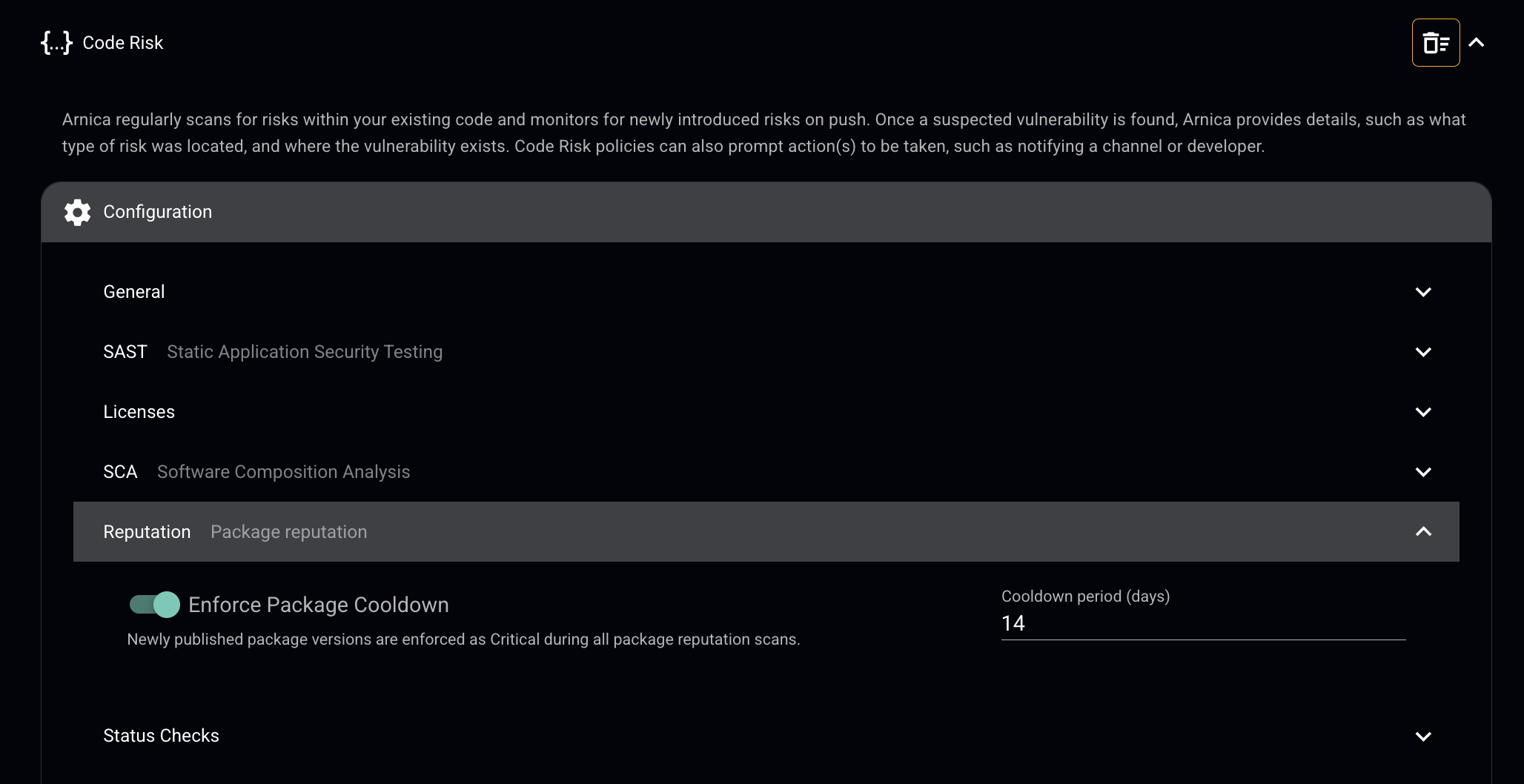
> For the complete documentation index, see [llms.txt](https://docs.arnica.io/arnica-documentation/llms.txt). Markdown versions of documentation pages are available by appending `.md` to page URLs; this page is available as [Markdown](https://docs.arnica.io/arnica-documentation/code-risks/3rd-party-package-reputation.md).

# 3rd Party Package Reputation

## Overview

Arnica evaluates the reputation of open source packages used across your codebase. When a dependency shows signs of being unmaintained, obscure, or lacking community trust, Arnica flags it as a low-reputation finding.

Low-reputation packages are a common supply chain risk. They are more likely to carry unpatched vulnerabilities, receive no security updates, and attract malicious actors looking to exploit abandoned or low-visibility packages. Catching them early reduces your exposure before they become a problem.

## How Arnica evaluates reputation

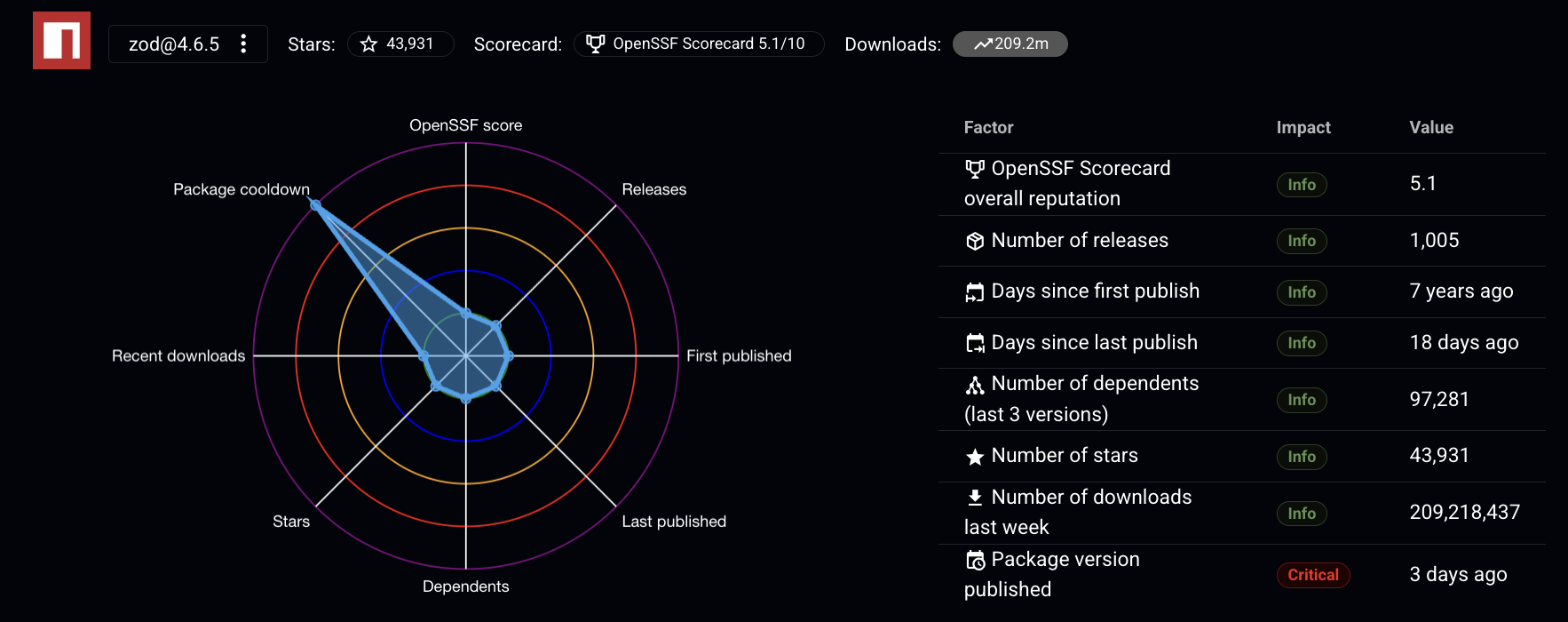
Each package is scored across seven factors. Arnica weighs these signals together and flags packages where the combined picture suggests risk.

* **Number of releases** — A low release count suggests the package is either early-stage or stagnant. Packages with a consistent release history are more likely to be actively developed and responsive to security issues.
* **Number of stars** — Stars are a proxy for community trust. A low star count may indicate the package is not widely known or adopted, which reduces confidence in its quality and long-term maintenance.
* **Number of dependents (last 3 versions)** — How many other packages rely on this one. Low dependents across recent versions suggests limited ecosystem trust, and may indicate compatibility or reliability concerns.
* **OpenSSF Scorecard overall reputation** — The [OpenSSF Scorecard](https://securityscorecards.dev/) measures how well an open source project follows security best practices, including code review, vulnerability management, and security policies. A low score is a direct signal of security risk.
* **Days since first publish** — Newer packages have less real-world testing behind them. An established package with years of production usage is generally more stable and better understood.
* **Days since last publish** — A long gap since the last update often means the package is abandoned. Unmaintained packages accumulate unresolved vulnerabilities and fall out of step with ecosystem changes.
* **Number of downloads last week** — Download volume reflects active usage. A low download count can signal that the broader community has moved away from the package, or that it never gained meaningful adoption.

### Example

<figure><img src="/files/84WGRfIuWgpCoLgEJIr7" alt="mocha-phantomjs-istanbul@0.0.2 reputation finding showing radar chart and factor table"><figcaption><p>mocha-phantomjs-istanbul@0.0.2 — a package with High impact across nearly all reputation factors</p></figcaption></figure>

## Reading a finding

Each low-reputation finding includes:

* **Radar chart** — a visual snapshot of the package across all seven factors, making it easy to see at a glance where it falls short.
* **Factor table** — lists each factor with an Impact rating (High, Medium, or Info) and its current value. Factors marked High carry the most weight in the reputation assessment.
* **File and commit context** — shows exactly where in your codebase the package is referenced, including the file, line, commit, author, and pusher.

## What to do

If you find a low-reputation package in your codebase, evaluate whether it can be replaced with a better-maintained alternative.

See [How to Find Alternative Packages](/arnica-documentation/code-risks/3rd-party-package-reputation/how-to-find-alternative-packages.md) for guidance by package manager (NPM, NuGet, PyPI, and more).


---

# Agent Instructions
This documentation is published with GitBook. GitBook is the documentation platform designed so that both humans and AI agents can read, navigate, and reason over technical content effectively. Learn more at gitbook.com.

## Querying This Documentation
If you need additional information that is not directly available in this page, you can query the documentation dynamically by asking a question.

Perform an HTTP GET request on the current page URL with the `ask` query parameter:

```
GET https://docs.arnica.io/arnica-documentation/code-risks/3rd-party-package-reputation.md?ask=<question>
```

The question should be specific, self-contained, and written in natural language.
The response will contain a direct answer to the question and relevant excerpts and sources from the documentation.

Use this mechanism when the answer is not explicitly present in the current page, you need clarification or additional context, or you want to retrieve related documentation sections.