API SBOM Scan
Submit a pre-built CycloneDX SBOM to Arnica for vulnerability scanning and policy enforcement via API.
Last updated
Was this helpful?
Submit a pre-built CycloneDX SBOM to Arnica for vulnerability scanning and policy enforcement via API.
Arnica's API SBOM scan allows you to submit a pre-built CycloneDX SBOM directly to Arnica for vulnerability scanning and policy enforcement. This feature is designed to scan repositories which produce build artifacts that Arnica would not normally scan, such as jar files or binary executables, in a CI/CD pipeline.
To use this API, you must create up a policy rule with a Code risk detected during an API intiated SBOM scan trigger. On SBOM scan, only findings matching the policy condition are created. When findings are detected, any associated policy actions are executed. There are few typical ways of using this policy trigger:
Report all findings, but do not fail the scan - Policy rule with an Always (TRUE) condition, but no policy actions.
Fail scans for any High+ severity findings - Policy rule with a finding severity condition of High, with a policy action of Fail Scan. The Fail Scan policy action causes the SBOM API scan to report a status of Failure when one or more findings matching the policy are detected.
We recommend a policy which at least has 1) so that all findings are reported, and some variant on 2) to fail scans depending on your organizational preferences.
The SBOM API supports SBOMs generated with:
cdxgen version 11.x. Only specification version 1.6 is supported.
Alternatively to the actions, the Arnica SBOM API endpoints can be called directly to upload and scan an SBOM and receive a summary of findings. To use these endpoints, sign in to Arnica with an admin account, navigate to Admin → API, and create an Arnica API key with the sbom-api:read and sbom-api:write scopes.
There are two API endpoints:
POST /v1/sbom/scan/upload - Endpoint to start an SBOM scan. Returns an upload URL to PUT SBOM JSON content to and a scan ID for polling the status of the scan. Once you have uploaded an SBOM, Arnica begins the scan.
POST /v1/sbom/scan/{scanId}/status - Endpoint to poll for completion of the SBOM scan using the scan ID. Once complete, this endpoint provides a summary of the scan results, including findings identified that violate policies.
Findings detected during an API SBOM scan display as Detected In SBOM upload scan. These findings appear in the Code Risks page alongside findings from other scan types, and can be filtered by the Detected In column.
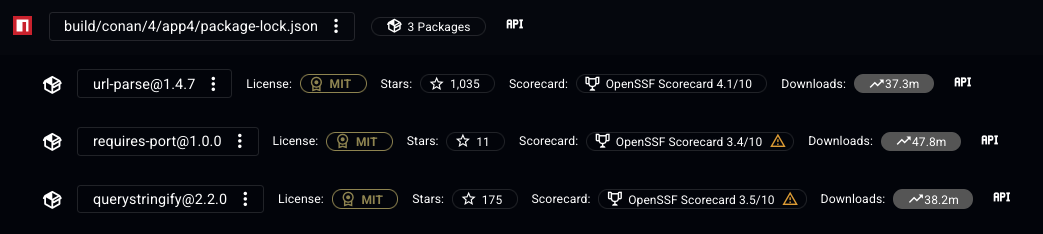
Dependencies from API SBOM scans also appear in the Inventory SBOM Report page, with an icon indicating that the dependency was detected in an SBOM API scan.
At least one SBOM upload policy must be configured for the target repository before a scan can be initiated. To set one up, navigate to Policies in the Arnica console and create a policy with the trigger type API-initiated SBOM scan. This policy defines which findings will cause a scan to return a failed status.
Last updated
Was this helpful?
Was this helpful?